


A procurement manager has a contract to sign by Friday. Before moving ahead, they need to know whether the supplier has completed its security questionnaire and whether any critical issues remain open. The answers are already in Panorays. But finding them means knowing which supplier profile to open, where to look, and how to interpret the findings. On many third-party risk teams, that knowledge sits with one or two people who spend much of their time answering requests like this.
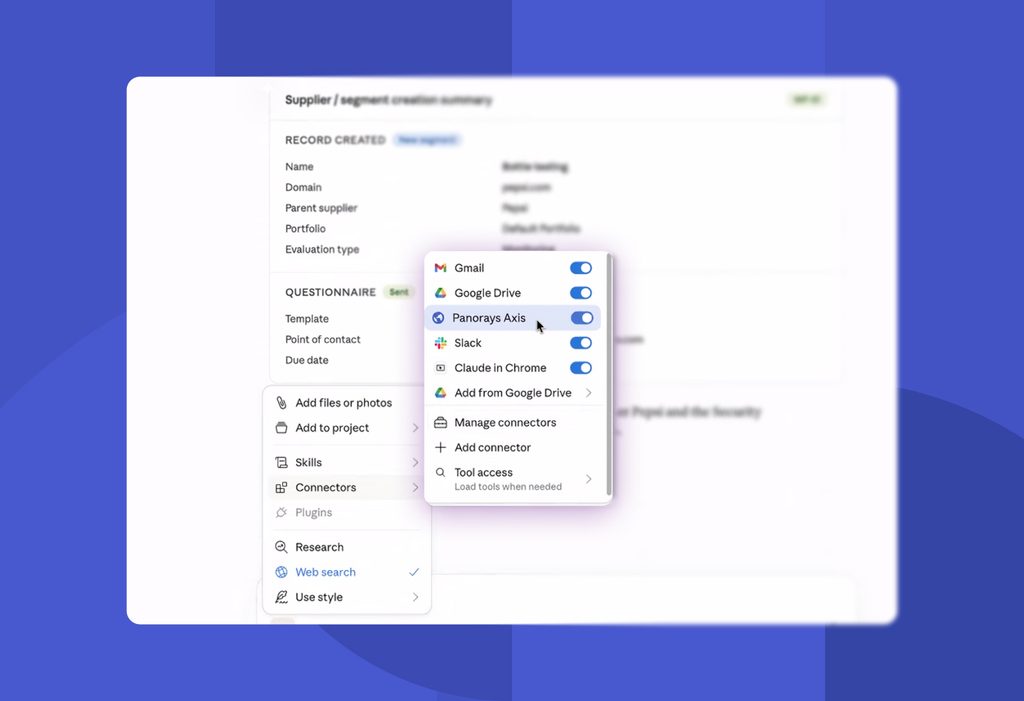
Panorays Axis makes that information easier to access. Using a Model Context Protocol (MCP) server, Axis securely connects AI systems to your Panorays account. Team members can ask questions in plain language, get answers based on their own third-party risk data, and take action directly from the same conversation, without needing to navigate the platform or rely on someone else to find the information.
What is Panorays Axis?
Panorays Axis connects AI tools securely to your Panorays account through a remote Model Context Protocol (MCP) server. This lets your team retrieve, summarize, and act on third-party risk data using natural language, without having to navigate the platform manually.
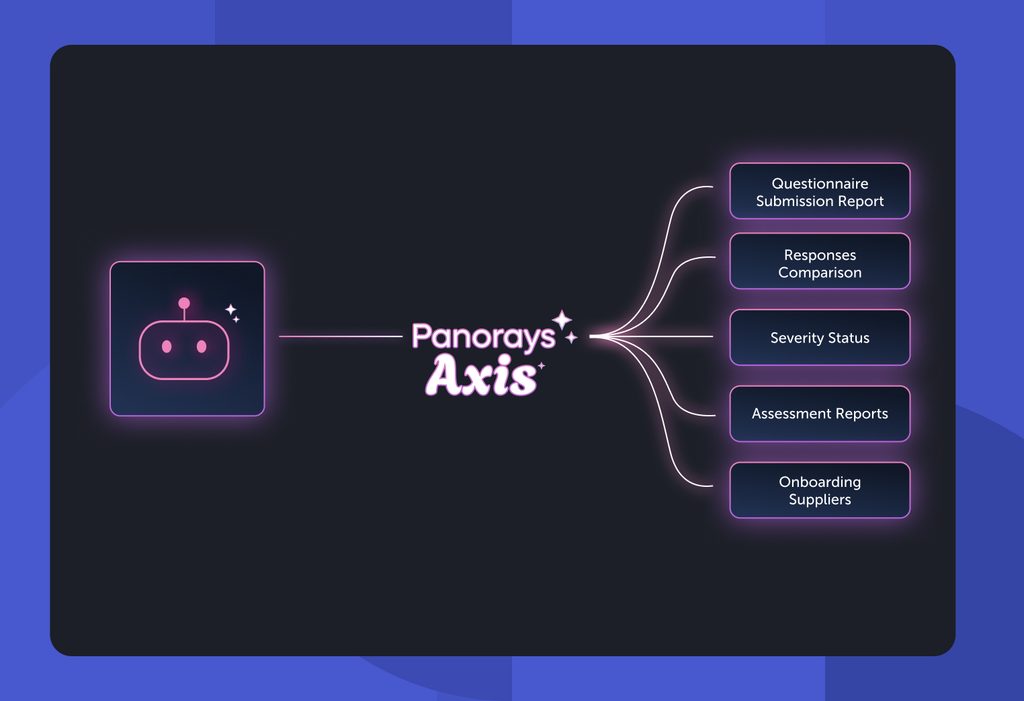
Axis also includes guided workflows developed by Panorays security experts to support everyday tasks, from reviewing questionnaires and comparing responses to assessing severity, generating assessment reports, and onboarding suppliers. Axis has been generally available since May 2026.
MCP is an open standard introduced by Anthropic in November 2024 that gives AI applications a consistent way to connect with external data and tools. Panorays Axis is the capability that brings this connection to your third-party risk program, while MCP is the protocol that makes it possible. In practice, this means the AI systems your team already uses can now access and work with the assessments, findings, and questionnaire responses stored in Panorays.
Why is third-party risk data hard to reach when you need it?
Third-party risk platforms hold the information teams need, but getting a useful answer often takes time, platform knowledge, and manual work. Someone has to know where to look, bring together findings from different sources, check them against each other, and figure out what needs to happen next. That often means routing every question back to the risk team.
Finding the right information takes platform expertise. A third-party cyber risk management platform holds a wealth of supplier data. But knowing where to find a specific answer often depends on familiarity with the platform. Everyone else has to wait for someone who knows their way around it.
Standard reports don’t answer every question. A compliance lead might need to compare how a group of suppliers answered a specific control question. A CISO might want to see all open critical findings across vendors with access to customer data. These are specific, business-driven questions that often require manual searches and custom analysis.
Getting the full picture means connecting the dots. Understanding a supplier’s risk requires more than looking at a single score or finding. Teams need to bring together questionnaire responses, external security findings, and remediation status to understand the full picture and identify inconsistencies or outstanding issues.
Getting from insight to action takes another step. Even after finding the answer, teams often need to switch tools or navigate separate workflows to send a questionnaire, follow up on an issue, or move a supplier through onboarding. The result is more work for the risk team and slower decisions for everyone else.
How does an MCP server work for third-party risk management?
An MCP server connects an AI platform to external tools and data, giving it a defined set of capabilities it can use on your behalf. When you ask a question, the assistant sends the request to the Panorays Axis MCP server, which retrieves the relevant information from your Panorays account or carries out the requested action. The assistant then presents the results in plain language, based on your supplier assessments, questionnaire responses, and security findings.
The difference is where the answers come from. A general-purpose AI assistant typically draws on information from its training and other connected sources. With Axis, it can retrieve information directly from the supplier records your team manages in Panorays. This means answers reflect your actual third-party risk data, not generic assumptions. Your team remains in control of decisions, while Axis makes it easier to get the information needed to make them.
What can you do with Panorays Axis?
Panorays Axis launches with five guided workflows developed by Panorays security experts. Each is designed around a task third-party risk teams handle regularly, making it easier to find information, understand supplier risk, and move work forward.
- Questionnaire Submission Report. Check whether a supplier has completed its security questionnaire, review its responses, and see related insights, including critical security findings.
- Responses Comparison. Compare how multiple suppliers answered the same question to identify differences, gaps, and patterns across your vendor portfolio.
- Severity Status. Review a supplier’s security findings by severity, along with related remediation tasks and recommended next steps.
- Assessment Reports. Generate supplier-specific reports tailored to the audience, whether a business owner, executive, or the supplier itself.
- Supplier Onboarding. Add new suppliers, create supplier segments, and send questionnaires from your existing library.
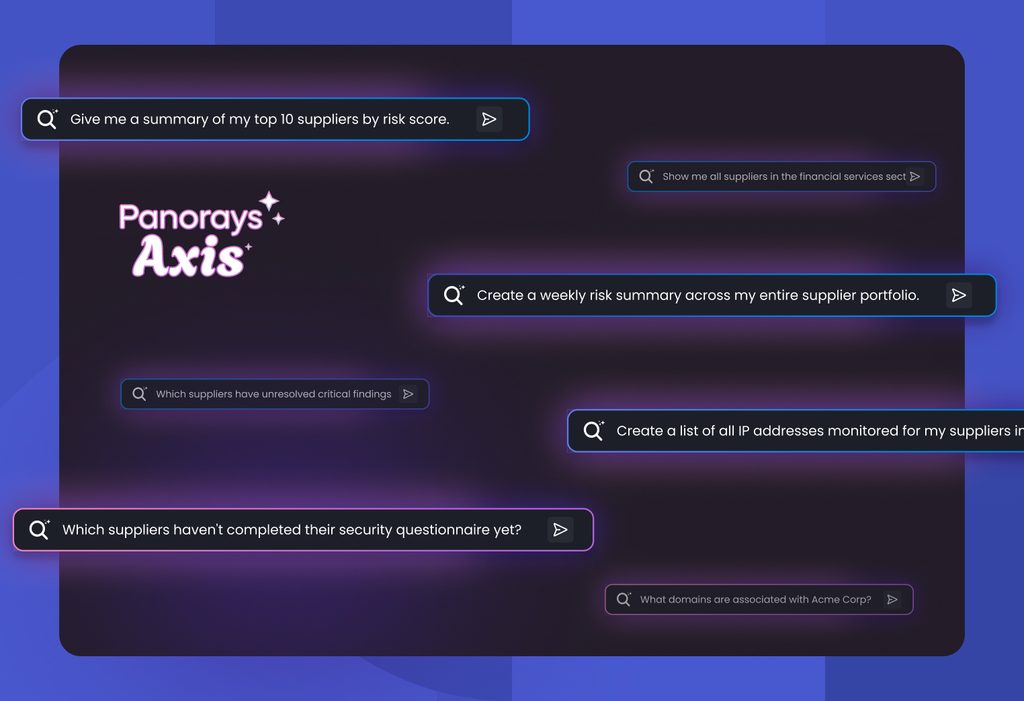
Consider the procurement manager facing Friday’s contract deadline. Instead of submitting a request and waiting for the risk team, they can ask the AI assistant whether the supplier completed its questionnaire and whether any critical findings remain open. If the supplier is new, the team can also add it and send the appropriate questionnaire through the same conversation. What once required platform knowledge and several steps can now start with a simple question.
Who benefits from Panorays Axis beyond the risk team?
Panorays Axis makes third-party risk information accessible to the people who need it, even if they don’t work in Panorays every day.
Executives can get a supplier risk summary before a business review. Procurement teams can check assessment status before signing a contract or onboarding a new supplier. Compliance teams can compare supplier responses to specific controls without asking the risk team to pull the data for them.
The risk team benefits, too. Instead of spending time answering routine questions and running reports, they can focus on higher-priority assessments, supplier relationships, and decisions that require their expertise.
For lean teams, that means less time acting as the go-between for the rest of the business. More people can get the information they need, when they need it, without adding to the team’s workload.
Why context matters when AI answers risk questions
An AI-generated answer is only as useful as the data and context behind it. A generic risk score doesn’t tell you whether a supplier poses a serious threat to your organization. That depends on the relationship: what data the supplier can access, how critical its services are to your business, and what security requirements apply.
Panorays evaluates suppliers in that context, combining security findings, assessment results, and business impact through contextual risk scoring. Suppliers are also tiered according to the inherent risk of their relationship with your organization.
Axis brings that same context into AI conversations. So when someone asks about a supplier, the answer reflects your organization’s assessments, requirements, and risk priorities, rather than a generic security rating. That makes the information more relevant to the business decisions your team needs to make.
Want to see it on your own supplier data? Learn more about Panorays Axis.
Panorays Axis FAQs
Is Panorays Axis the same as an MCP server?
Panorays Axis is the Panorays capability, and it runs on a remote MCP server. MCP, or Model Context Protocol, is the open standard that lets AI assistants connect to external data and tools. Axis uses that protocol to connect AI assistants to your Panorays tenant and adds guided workflows built by Panorays security experts, so teams get structured answers and actions rather than raw data.
Can Panorays Axis take actions, or does it only answer questions?
Panorays Axis does both. Users can retrieve and summarize data, such as questionnaire status, response comparisons, severity findings, and assessment reports. They can also act on it, for example, by adding new suppliers, creating segments, and sending a questionnaire from their library. Combining retrieval and action in one place means teams can move from an answer to the next step without switching tools.
Do I need to know the Panorays platform to use Panorays Axis?
No. Panorays Axis is designed so people can ask questions in plain language without knowing where each insight lives in the platform. That makes third-party risk data easier to reach for executives, procurement, compliance, and business owners who don’t work in Panorays daily, while risk analysts can use it to speed up routine reviews and reporting.
How does Panorays Axis keep our data secure?
Panorays Axis connects AI assistants to your Panorays tenant through a secure remote MCP server, so assistants work with your data through a defined connection rather than copies or exports. Access follows what your organization grants. Panorays holds ISO/IEC 27001 and SOC 2 Type 2 certifications. Ask your Panorays team for details on authentication and permissions for your deployment.